Here's what landed in BotFriday in June.
Last month was the big video interviews release. This month is quieter on the surface and just as useful underneath: the earliest stages of your funnel, pre-screening and scheduling, got a lot more precise. Screening now scores candidates the way a thoughtful recruiter would weigh them, the salary question stops producing junk data, and interviews chase their own reminders so fewer of them fall through. Here's everything that shipped.
Pre-Screening That Scores Like You Would
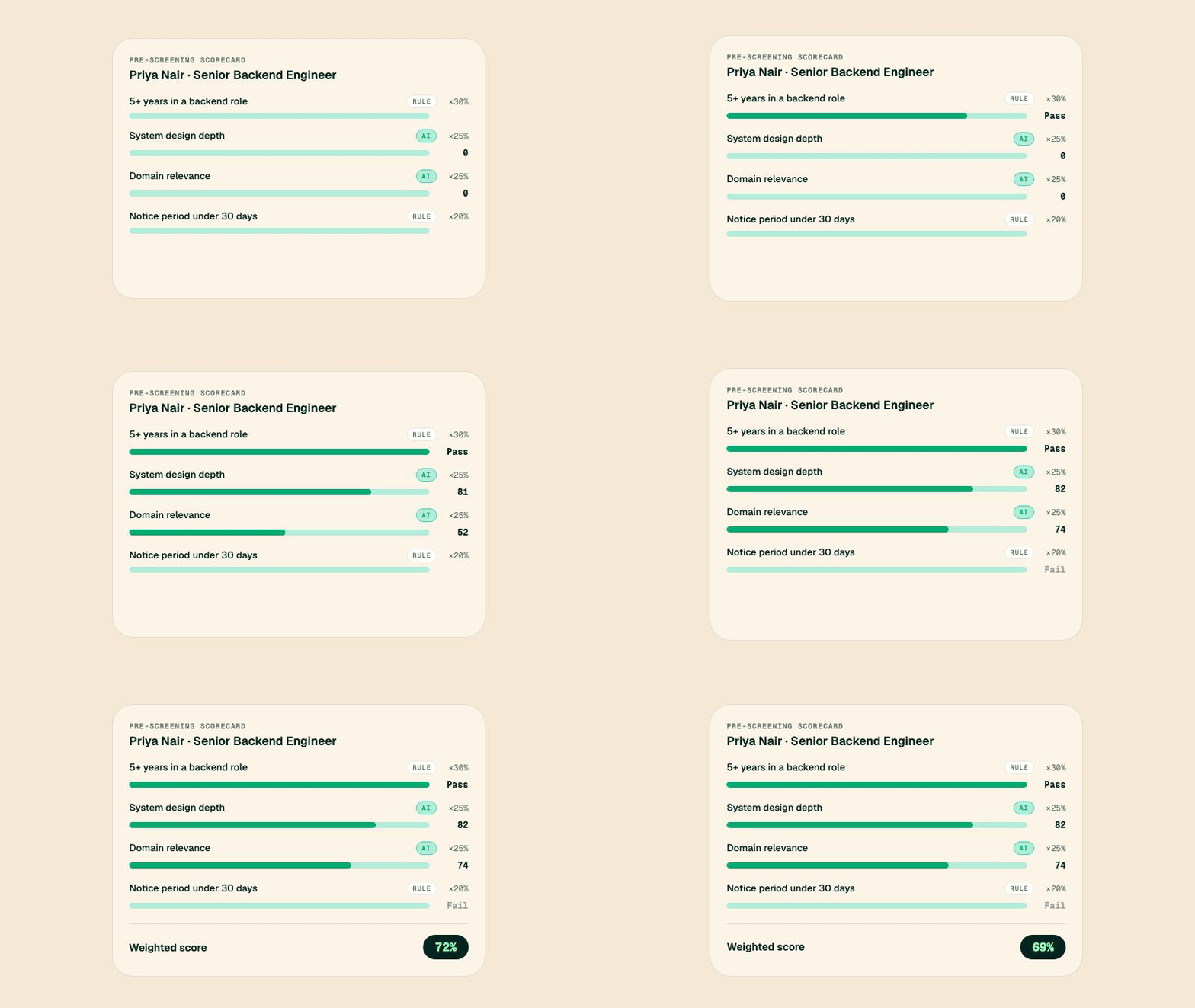
You're a talent acquisition lead 300 submissions into a Senior Backend Engineer role. Some of what matters is black and white: five years of experience, a notice period you can live with. But the things that actually separate candidates, like how they reason about system design, don't fit a checkbox. You want both to count, and you want them to count in the right proportion.
Pre-screening used to treat every requirement the same. Now it scores like a person does, with a weighted scorecard you build yourself. Each criterion draws its score from one of two places: a screening rule, which passes or fails and counts as 0 or 100, or an AI assessment question, where the agent reads the candidate's free-form answer and grades it on its merits. You give each criterion a weight, and BotFriday rolls them into a single score you can rank and compare across the whole applicant pool.
The AI assessment questions are the part that changes what pre-screening can even ask. Instead of forcing everything into a yes/no field, you can pose a real question ("Describe a system you scaled and what broke first") and let the agent evaluate the substance of the reply. Hard requirements stay hard, judgment calls get judged, and every candidate comes out with a number that means the same thing for all of them.
How to use it: Open a pre-screening agent, add your screening rules and AI assessment fields, then switch to the Scoring tab to assign each one a weight. The weighted score shows up on every candidate in the dashboard.
A Salary Question That Returns Clean Data
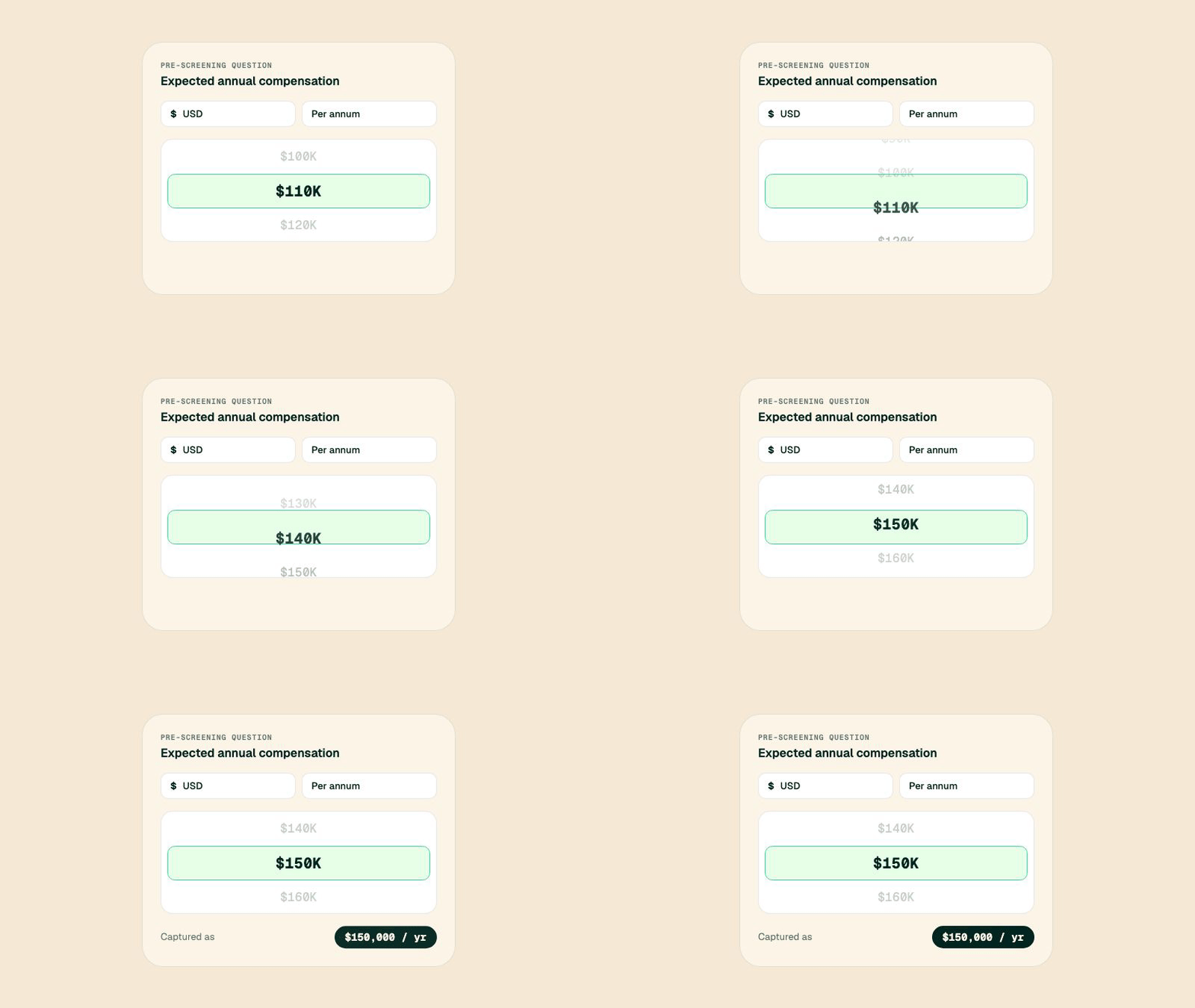
You're a recruiting coordinator exporting a shortlist for a compensation review, and the salary column is a mess: "$150k", "150,000", "$12.5k/month", "around 150-170", one person who typed a sentence. Before anyone can sort or compare it, you have to convert every entry into the same format by hand.
Asking a candidate for their expected pay used to mean a free-text box and whatever they felt like typing. We replaced it with a proper salary field. Candidates set the amount on a smooth wheel, pick the currency, and choose whether it's annual or monthly, and the value comes back to you structured and consistent every time. No more parsing "k", "/mo", and "per year" out of a spreadsheet before you can compare two numbers.
Because the field understands currency and period, the same question works across markets without anyone doing mental math, and because the input is a wheel instead of an open box, candidates finish it faster on their phones. You get compensation data you can actually sort, filter, and screen against from the moment it's submitted.
How to use it: When building a pre-screening or application form, add a field and set its type to salary. Pick the currency and period defaults, and candidates fill it in on the wheel.
Reminders and Nudges That Do the Chasing
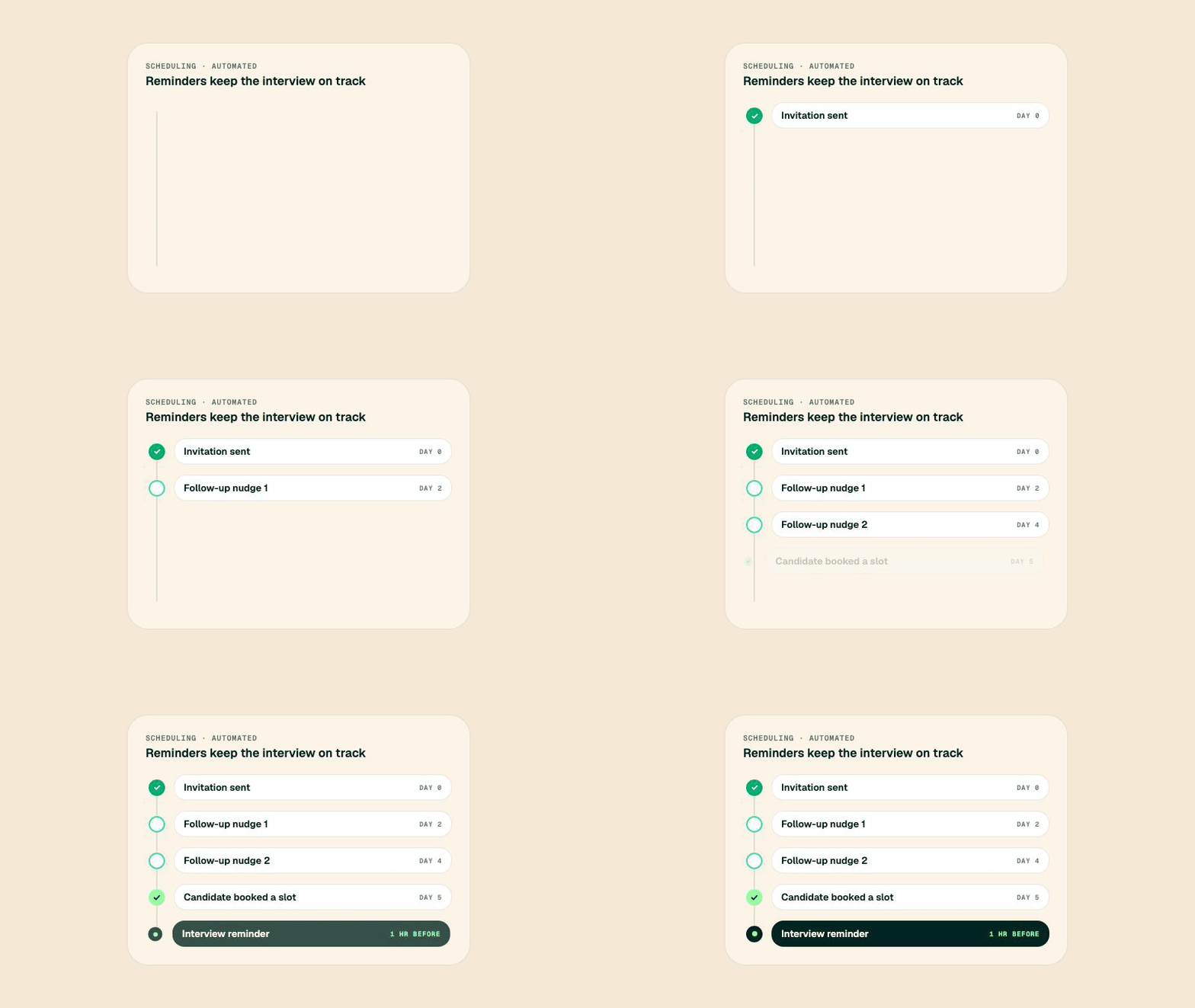
You're a recruiter with 40 candidates invited to schedule a phone screen. A third of them book right away. The rest go quiet, and chasing each one by hand is the kind of task that quietly eats an afternoon and still leaves gaps.
Two things now happen automatically so you don't have to. First, if a candidate doesn't schedule, BotFriday sends a configurable series of follow-up nudges: you decide how many reminders go out and how many days apart, and the agent works through them one by one before escalating to you. Second, once an interview is on the calendar, the agent sends a reminder a set number of hours before it starts, so the person actually shows up.
Together they close the two biggest leaks in scheduling: candidates who never respond and candidates who forget. You set the cadence once per agent and it applies to every candidate that agent handles, on phone and video interviews alike. The chasing that used to live on a sticky note now runs itself, and your no-show rate drops without anyone lifting a finger.
How to use it: In an interview agent's Scheduler, turn on Send Interview Reminder and set the hours before. Open Advanced Settings to set the number of follow-up nudges and the days between them.
See Exactly Where a Candidate Is Stuck
You're running recruiting ops across a dozen open roles, and "In progress" isn't a helpful answer. You need to know who's waiting on a reminder, who started an interview and dropped, and who came in through last week's campaign link, all without opening candidates one at a time.
The dashboard now filters at a finer grain than the top-level status. Every stage a candidate can sit in is its own filter, so instead of a vague "in progress" bucket you can pull up exactly the candidates who are waiting to schedule, mid-interview, or pending review. It turns the queue from a list you scroll into a question you can ask.
You can also filter pre-screening candidates by the specific link they submitted through, which makes it trivial to see how one campaign, board, or source performed on its own. Slice the pipeline by where people are and where they came from, and the daily "who needs attention right now" question answers itself.
How to use it: Open the dashboard, pick an agent, and use the status filters to narrow to a specific stage. For pre-screening agents, the submission-link filter appears once you select a job.
These updates are live for all BotFriday accounts. If you have questions or want a walkthrough, book a quick demo with our team.