Here's what landed in BotFriday in May, and it's the biggest release we've shipped: AI video interviews.
Until now, BotFriday screened candidates two ways: resume screening and phone interviews. As of this release there's a third, and it's the one we're proudest of. BotFriday now conducts full interviews on camera, and it's a great deal more than a talking head reading out a list of questions. The agent runs the whole session the way a thoughtful interviewer would: it presents your company and the role, it answers what the candidate wants to know, and then it asks your questions, listening, following up, and scoring each answer as it goes. The whole time, it controls what the candidate sees on screen. We deliberately held it back from last month's update because we wanted it genuinely ready before we put it in front of you. It's ready now. Here's what it does, and what shipped alongside it.
A Complete Interviewer, on Camera
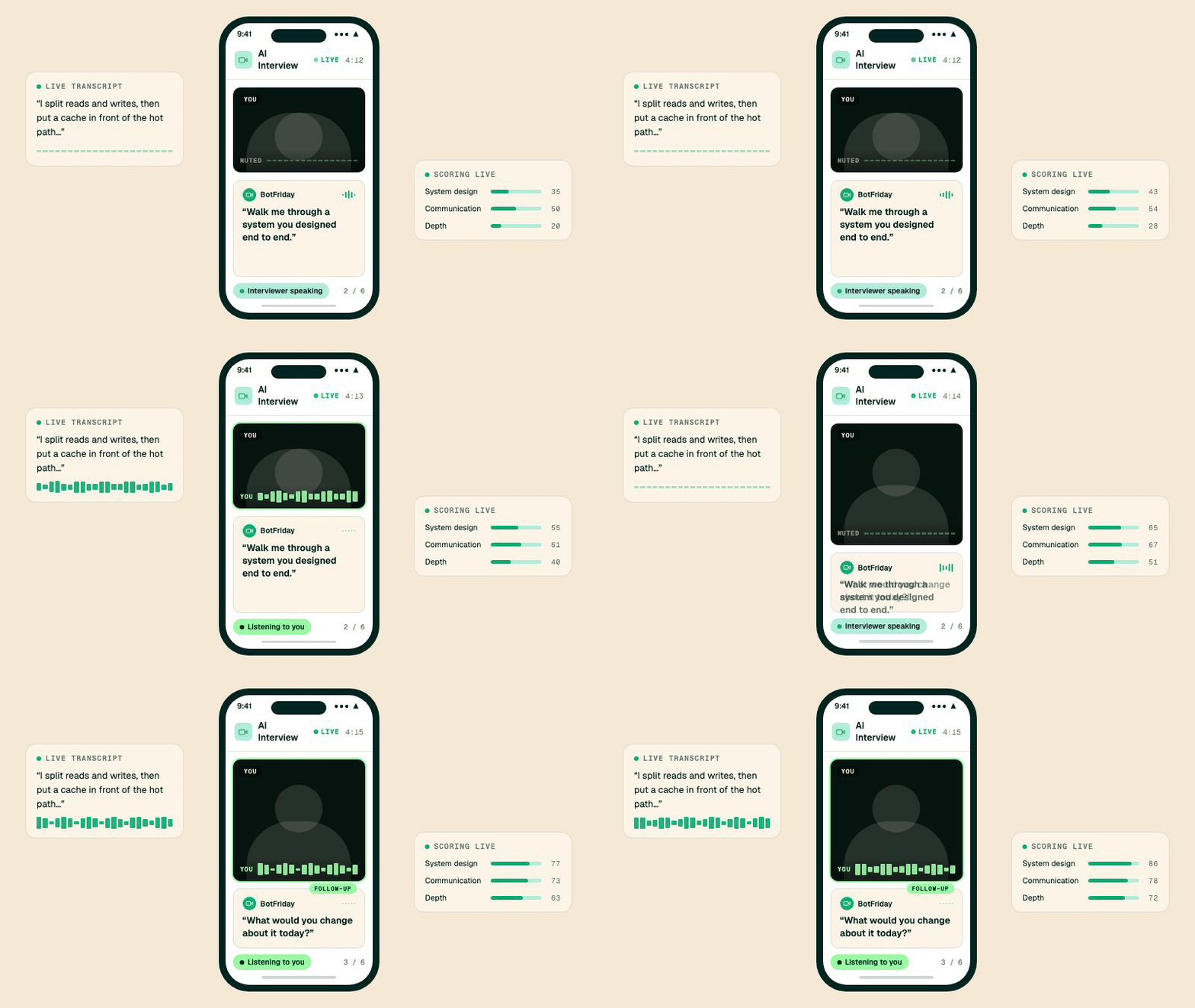
You've got 60 qualified candidates for a role that genuinely needs a face-to-face read, and three interviewers who can't clear their calendars before next week. The video interview agent takes that entire first round off their plate. Every candidate gets the same structured interview, on camera, the day they're ready.
The video interview agent runs a complete, structured session from hello to thank you. It opens by introducing your company and the role, it answers the questions candidates always have, and then it works through your interview questions one at a time: asking each, listening to the answer, asking the natural follow-up, and scoring every response against your criteria. Every candidate gets the same fair interview regardless of who's hiring or what time zone they're in, and your team walks in to a ranked set of completed interviews instead of a calendar full of first-round calls.
It sits alongside resume screening and phone interviews as a third way to screen, so you can mix and match: screen resumes, run a quick phone pass, then send the shortlist into a full video interview, all inside the same pipeline. The two sections below show the part that makes it feel like a real interview rather than a form: the agent presents to the candidate, and it puts every question on their screen. And because it records, every interview also comes with an integrity report and a complete replay, both further down.
How to use it: Create a new agent and pick the video interview type, then build your interview. Candidates get a link and complete it on camera in their browser.
It Presents Your Company and the Role, on Screen
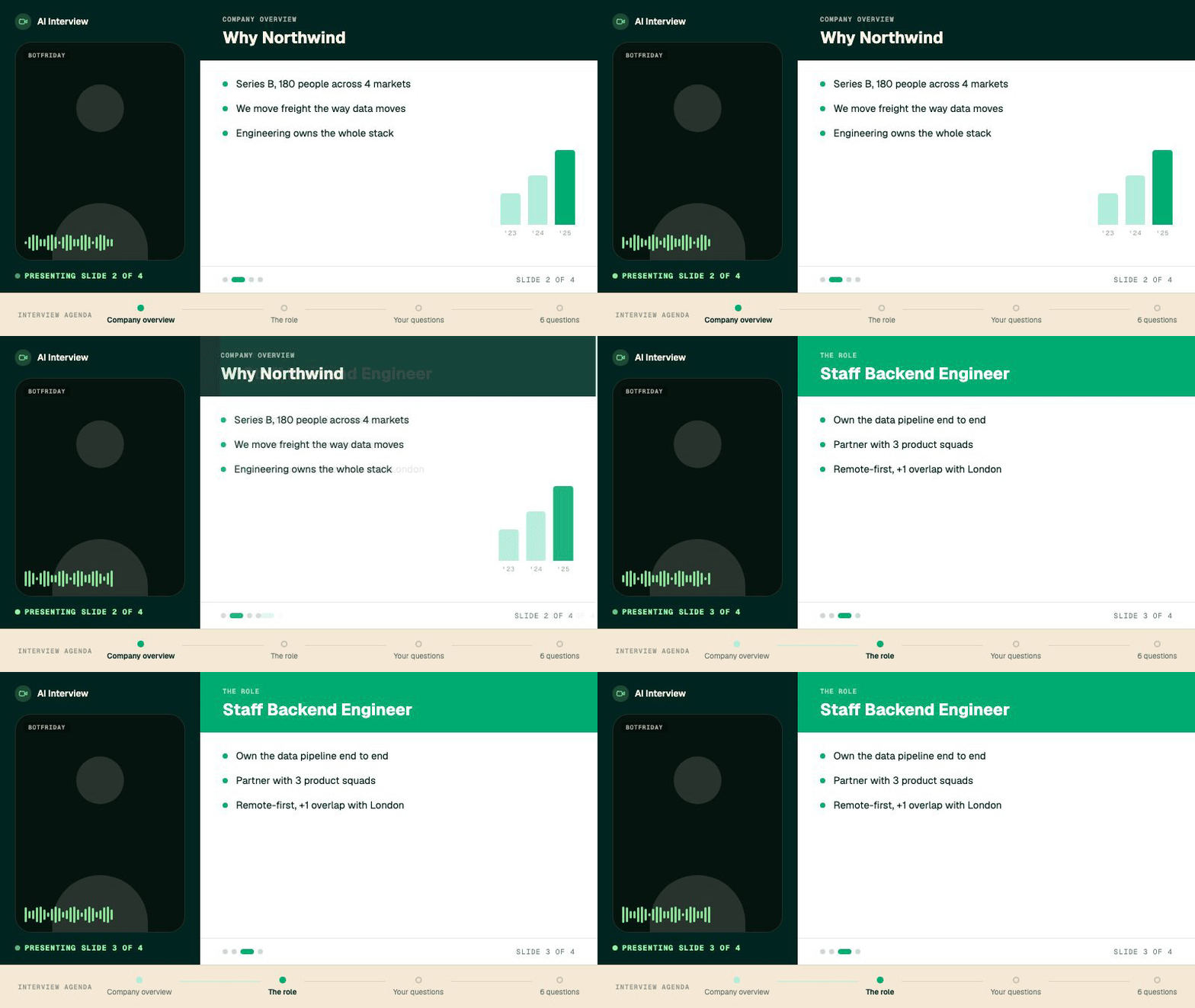
You're the founder of a fast-growing company, and you know the first few minutes set the tone. You want every candidate, not just the ones who reach a final round, to get the same sharp introduction to who you are and why the work matters. You can't personally take that call 60 times.
A good interview doesn't open with question one. It sets the candidate up first, and so does this one. Before any questions, the agent introduces your company and walks through the role, and it does it visually. You give it slides, and the agent presents them on the candidate's screen, talking through each one while the candidate follows along, the same way you would click through a deck on a call. It can cover the company, the mission, the team, and then exactly what the role involves.
Candidates can ask the things they would ask a real recruiter, like how big the team is or what the first ninety days look like, and the agent answers from the brief you give it. So every candidate gets the same clear, on-brand introduction to working with you, presented properly, no matter when they interview or whether anyone on your side was free.
How to use it: When you build the interview, add a presentation section, drop in your slides, and give the agent a short brief it can answer candidate questions from.
Questions Candidates Can See, Not Just Hear
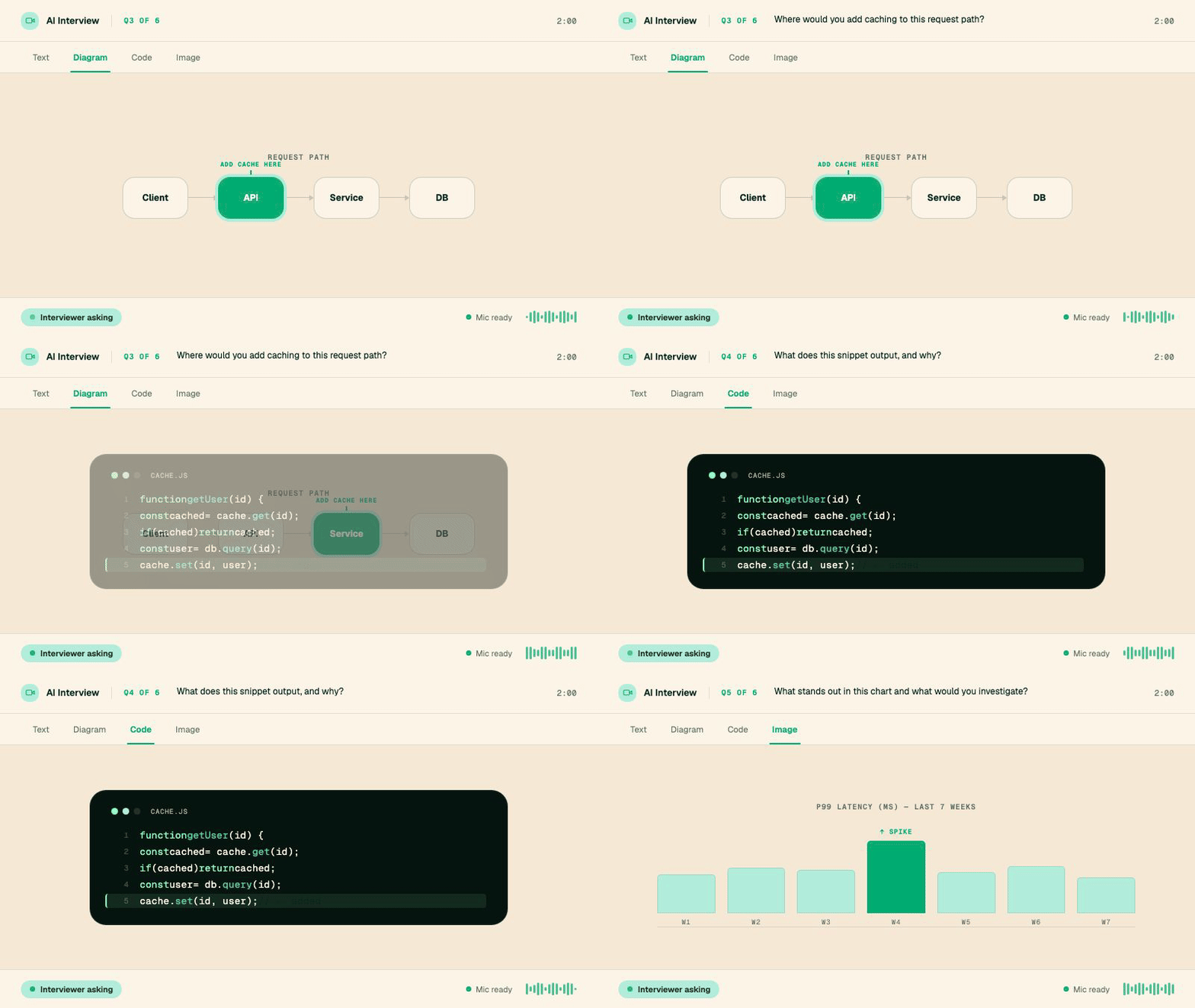
You're an engineering manager, and half your best questions don't work out loud. "Where would you add caching here" means nothing without the "here." You want to put the actual diagram in front of the candidate and watch how they reason about it.
When the interview reaches your questions, the agent controls the candidate's screen the whole way through. Each question appears on screen as the agent asks it, so the candidate reads it and hears it at once, and nobody loses the thread of a long question halfway through.
And a question can be far more than a line of text. It can carry a diagram, a code sample, an image, or formatted text, whatever the question actually needs. Ask where they would add caching to a request path and show them the path. Put a snippet on screen and ask what it prints. Show a chart and ask what's wrong with it. The candidate reasons about exactly what you put in front of them, and every candidate sees the identical prompt, so the answers are genuinely comparable.
How to use it: In the question editor, build each question with the content it needs (text, images, diagrams, code), and the agent displays it on the candidate's screen as it asks.
Trust Every Video Interview
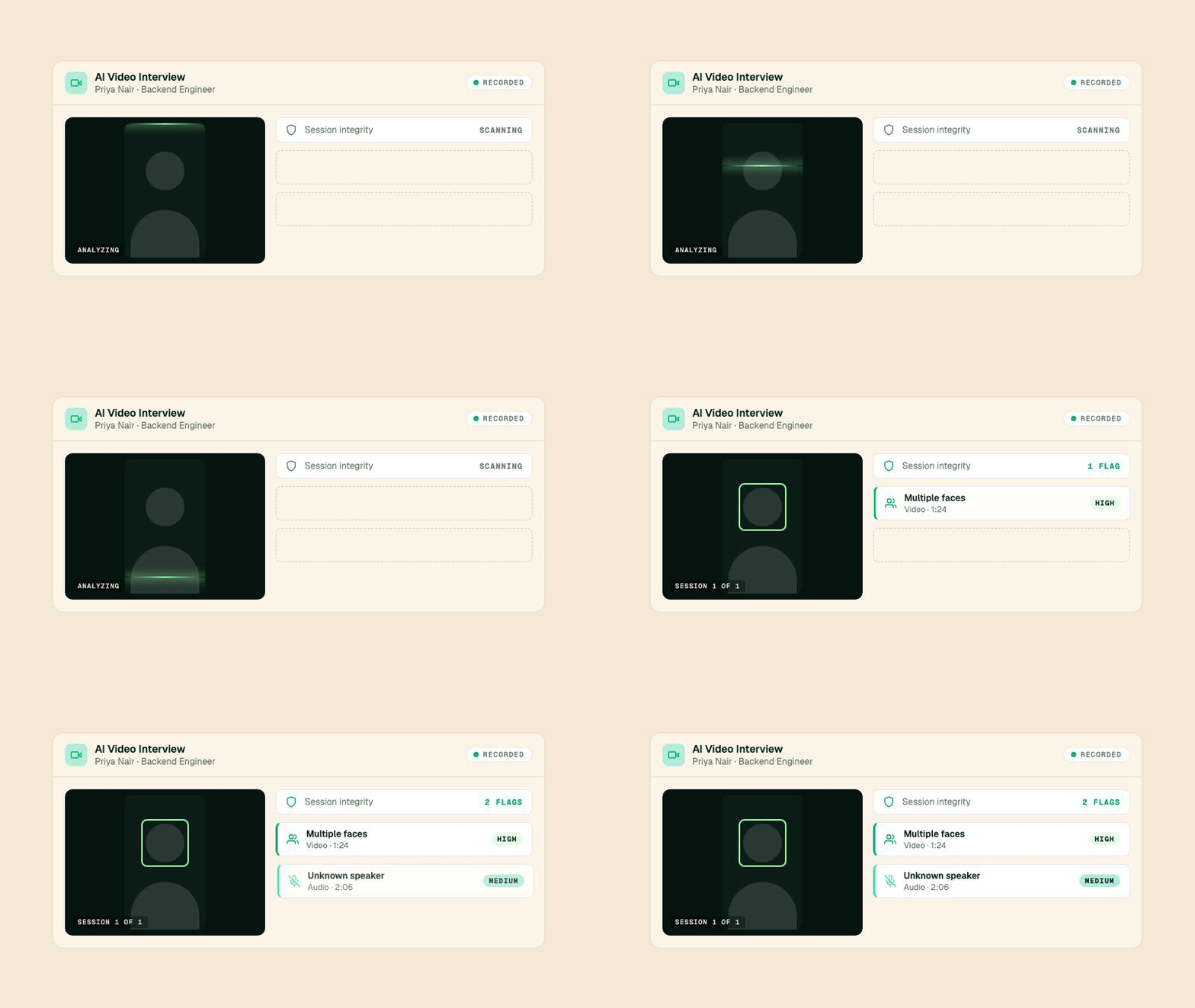
You're a hiring manager reviewing a strong technical screen for a Backend Engineer role. The answers are sharp, almost too sharp. Before you forward this candidate to your principal engineer, you want to know the person who showed up on camera is the person who did the talking.
Every AI video interview is now analyzed for integrity, automatically, the moment it finishes. BotFriday reviews the recording for the things a human proctor would catch if they had the patience to watch every second: a second face appearing in frame, an unfamiliar voice answering questions, a candidate whose attention drifts off-screen for long stretches, or two people talking over each other. Each flag comes with a confidence level (high, medium, or low) and the exact timestamp it happened, so you can jump straight to the moment and judge it yourself.
The point isn't to accuse anyone. It's to give you a clear, evidence-backed signal so you spend your scrutiny where it's warranted. Clean interviews come back clean, and the ones that need a second look tell you exactly where to look. You stay the decision-maker; BotFriday just makes sure nothing slips past you.
How to use it: Open any completed video interview from the candidate's profile. The integrity summary sits right alongside the transcript and score, with each flagged moment listed underneath.
Replay the Whole Interview
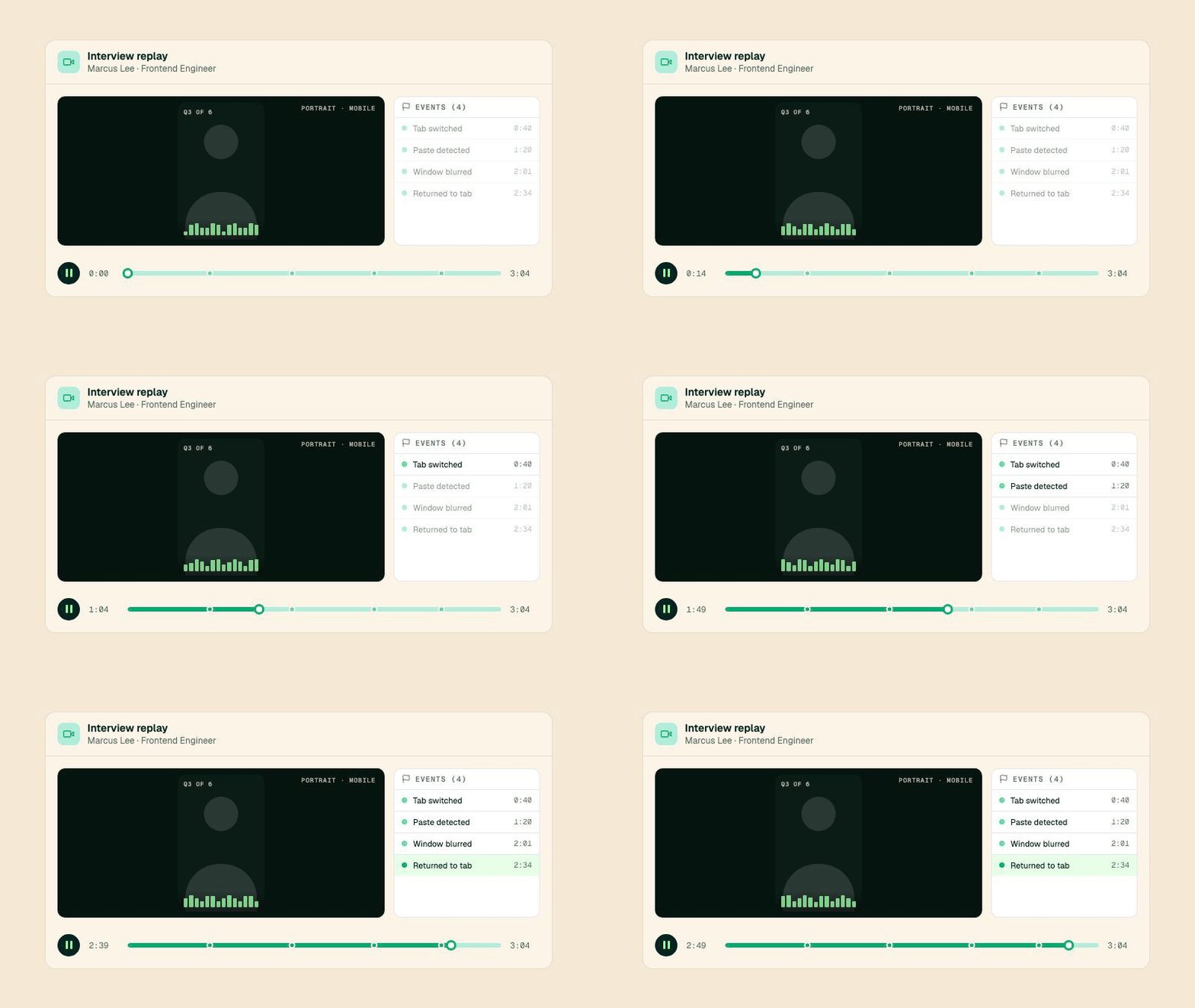
You're leading a panel debate over a borderline candidate. Half the room remembers a fumbled answer on system design, the other half swears it was solid. Instead of arguing from memory, you pull up the interview, scrub to question three, and watch it together.
You can now replay any completed video interview from start to finish. It's the full session, exactly as it happened, with a timeline down the side that marks the moments worth your attention. When a candidate switched tabs, paused for a long beat, or stepped away and came back, those events are pinned to the timeline so you can click one and seek straight to it. No more scrubbing blindly through a recording hoping to land on the right minute.
This turns the interview from a one-time event into a shared, reviewable artifact. Calibrate a new panelist by walking them through a real session. Settle a disagreement with the actual footage instead of competing recollections. Pull the two-minute exchange that made the decision and send it to the people who weren't in the room.
How to use it: Open the Replay tab on any video interview. Press play, or click any event in the sidebar to jump to it. You can also generate a shareable replay link for stakeholders who don't have a BotFriday login.
Sharper Question Grading
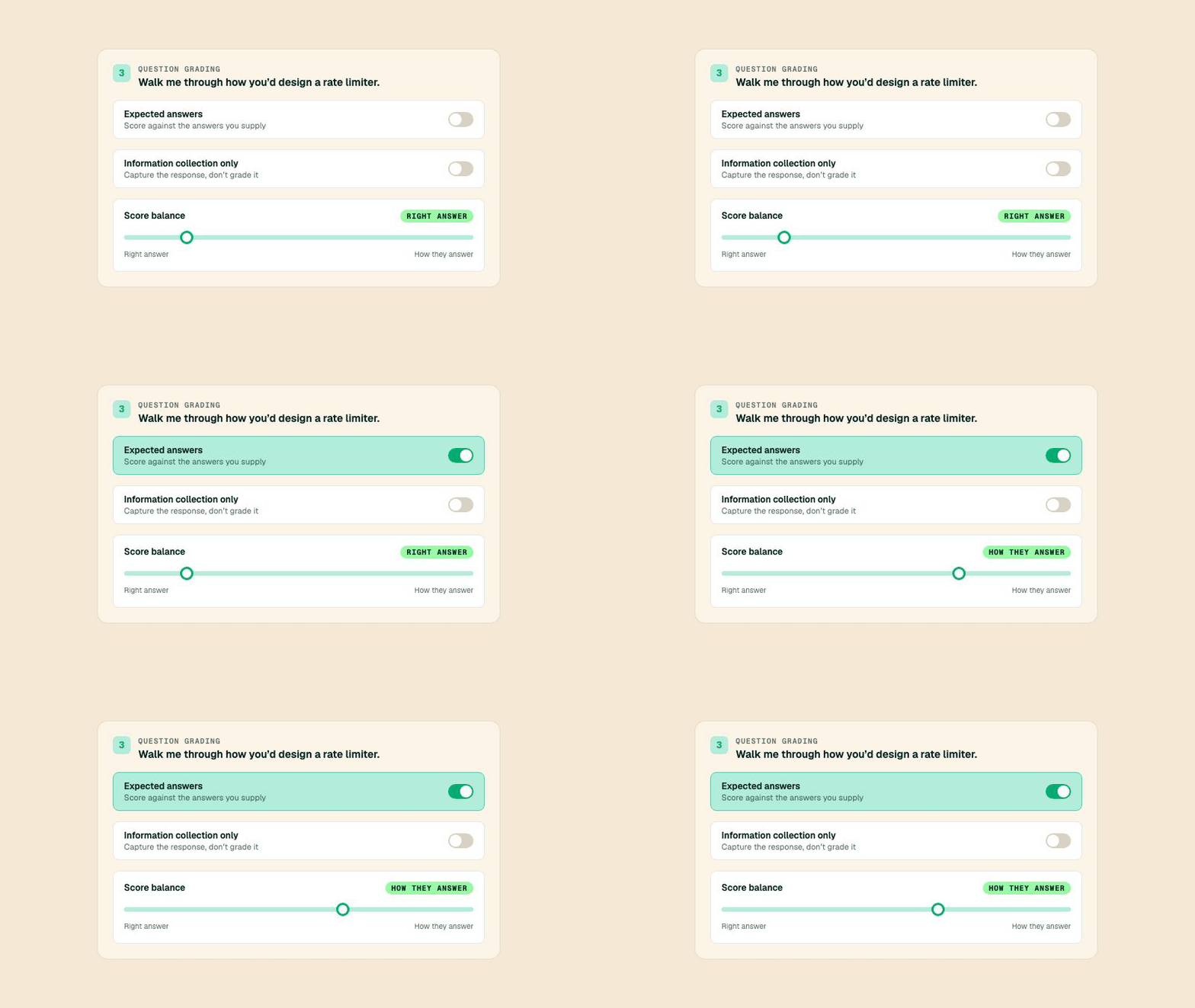
You're a talent partner building the interview for a Solutions Engineer role. Some questions have a single right answer you want scored hard. Others are open-ended, where you care less about the conclusion and more about how the candidate reasons their way there. You want each question graded on its own terms.
We rebuilt the grading panel inside the question editor so you can shape exactly how each question is scored. Toggle on expected answers to grade a response against the answers you supply. Flip a question into information-collection mode when you just want to capture what the candidate says without scoring it at all. And for everything in between, a "score balance" control lets you dial how much weight goes to landing the right answer versus how clearly they think it through.
The result is interviews that grade the way a thoughtful interviewer would, question by question, instead of applying one blunt rubric to every prompt. A factual question and a judgment question no longer have to be scored the same way.
How to use it: Open the question editor when creating or editing an interview agent. Each question now carries its own grading controls right beneath it.
Interviews That Survive a Bad Connection
A candidate joins their interview from a train, three bars of signal and dropping. In the old world, a patchy connection meant garbled answers and a low score that said more about the WiFi than the person.
The video interviewer now keeps an eye on connection quality throughout the call and adapts in real time. If the line starts to degrade, it handles the moment deliberately instead of plowing ahead over a frozen feed or dropping the candidate without explanation. People interviewing from a less-than-perfect connection get a fairer shot, and you get cleaner recordings with fewer interviews wasted to a bad signal.
Fair Billing on Incomplete Interviews
We also tightened how interviews that never really happen are handled. If a candidate drops before the interview gets going, or the session ends without a real conversation taking place, it's now marked Incomplete rather than scored as a failed attempt. Your dashboard reflects the difference, and your credits do too: you're not charged for interviews that didn't actually run. It's a small change with a clear principle behind it. You should only pay for the screening you actually got.
These updates are live for all BotFriday accounts. If you have questions or want a walkthrough, book a quick demo with our team.